How to Model Complex Data in Attio with Custom Objects and Relationships
Most teams use 20% of what Attio's data model can do. Here's how to unlock the rest with custom objects, many-to-many relationships, and a data architecture that actually reflects how your business works.
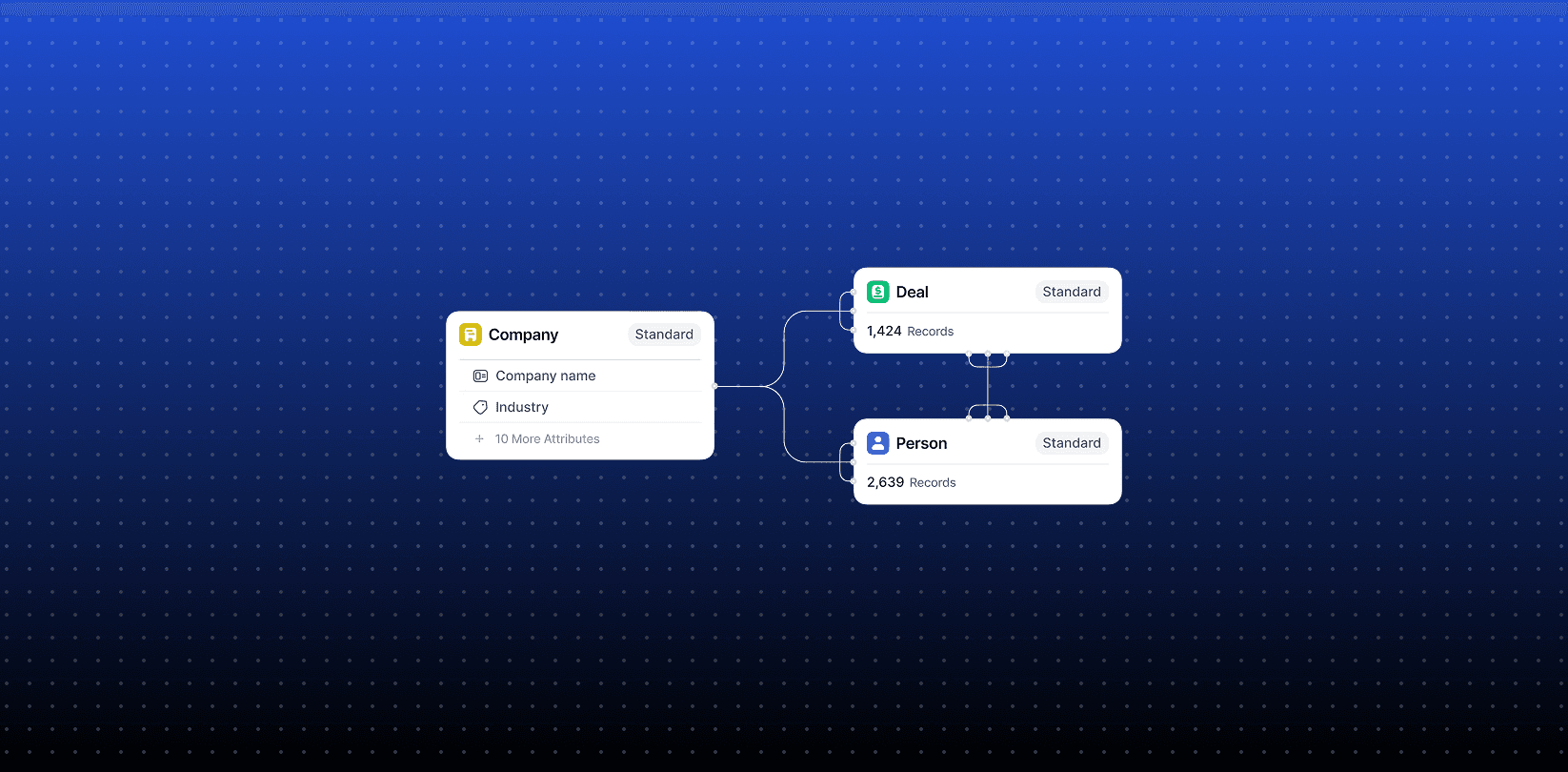
Most CRM data models break the moment your business doesn't fit the default schema. Contacts, Companies, Deals -- that's the standard trinity. It works fine until you need to track partnerships, subscriptions, projects, investment rounds, or any entity that doesn't map cleanly to "a person at a company buying something."
Attio's custom objects and relationship system is built to solve exactly this. But most teams either don't know it exists or underuse it. This is a practical guide to what it can actually do.
The default Attio data model and where it breaks
Out of the box, Attio gives you three standard objects: People, Companies, and Deals. Relationships between them are predefined: a Deal belongs to a Company, a Person belongs to a Company.
That works for a simple B2B sales motion. It breaks the moment your data has more complexity:
A consulting firm tracking multiple projects per client, each with their own status, team, and deliverables
A VC tracking portfolio companies, funding rounds, and co-investors as separate entities
A SaaS company linking product subscriptions to both companies and individual users
An agency managing client relationships where multiple contacts exist across multiple accounts with different roles
In each case, you need entities that Attio doesn't ship with by default. That's where custom objects come in.
What custom objects actually are
A custom object is a new record type you define from scratch. You name it, you pick its attributes, and it lives alongside People, Companies, and Deals in your workspace.
Examples of useful custom objects:
Project - for service businesses tracking deliverables per client engagement
Subscription - for SaaS tracking individual plans, not just company-level deals
Investment Round - for VCs tracking raise stages, amounts, and investors separately from companies
Partner - for businesses with a partner or reseller motion distinct from direct sales
Property - for real estate or asset-heavy businesses
Each custom object has its own attributes (text fields, numbers, dates, select fields, etc.), its own views, its own automations, and its own reporting. It behaves exactly like a native Attio object.
Relationships: the part most people miss
Creating a custom object is step one. The real power comes from defining relationships between objects.
Attio supports two types:
One-to-many: One Company has many Projects. One Deal has many Subscriptions. Standard parent-child logic.
Many-to-many: One Person is linked to many Companies (as a board member, advisor, or multi-role contact). One Project involves many People from multiple Companies.
Many-to-many is where most CRMs fail. HubSpot handles it awkwardly. Salesforce requires junction objects that nobody wants to maintain. Attio treats it as a first-class feature.
When you create a relationship between two objects, Attio automatically surfaces it bidirectionally. Link a Person to three Companies, and you see all three from the Person record and you see that Person from each Company record. No sync logic, no workaround.
A concrete example: modeling a consulting business in Attio
Here's how Novlini structures client data for a typical B2B services setup.
Objects:
Companies (native)
People (native)
Deals (native) - used for pipeline tracking
Projects (custom) - one per engagement, tracks scope, status, and deliverables
Workstreams (custom) - sub-units within a project, each with owner and timeline
Relationships:
Company to many Projects (one-to-many)
Project to many People (many-to-many, covers both client contacts and internal team)
Project to many Workstreams (one-to-many)
Deal to one Project (one-to-one, created on deal close)
The result: when you open a Company record, you see every engagement, past and current. When you open a Project, you see every person involved, every workstream, and the original deal. When you open a person's record, you see every project they're part of -- regardless of which company they were at when each project ran.
This is data infrastructure. It doesn't just track activity -- it makes relationships queryable.
How to set this up in Attio
Step 1: Create a custom object
Go to Settings > Objects > Create Object. Name it, choose an icon, define your attributes. Keep attributes lean at first -- you can always add later, and unused fields create visual noise.
Step 2: Define relationships
Inside the object settings, go to Relationships. Choose which objects this new object connects to, define the cardinality (one-to-many or many-to-many), and name the relationship on both sides (e.g., "Projects" from the Company side, "Client" from the Project side).
Step 3: Build views
Create filtered list views on your custom object. For Projects: filter by status, sort by start date, group by client. You now have a project tracker that's natively connected to your CRM data.
Step 4: Add it to your workflow
Use Attio's automations to trigger actions when object records change state. Close a Deal and auto-create a linked Project record. Complete a Workstream and notify the project owner. The objects you've built are now part of your operational workflow, not just a reference database.
When to use custom objects vs. lists
A common mistake: using Attio Lists where a custom object is the right tool.
Lists are views - they filter and display existing records. Custom objects are entities - they have their own identity, attributes, and relationships.
Use a List when: you want a specific view of existing People, Companies, or Deals (e.g., "Active leads in France").
Use a Custom Object when: you have a new type of thing that needs its own record, its own attributes, and its own relationships to other records.
If you're adding ten custom attributes to a Deal to track post-sale project data, that's a signal you need a Project object -- not a bloated Deal.
The operational upside
Getting the data model right has downstream effects that most teams underestimate.
Reporting becomes meaningful. When Projects are their own object, you can report on project volume by client, average duration, repeat engagement rate - metrics that aren't possible if project data is buried in Deal attributes.
Automation becomes precise. Triggers can fire on specific object state changes rather than trying to infer meaning from generic field updates.
Onboarding new team members gets faster. A well-modeled Attio workspace is self-documenting - the structure explains how the business works.
And when you want to pull data out - into a dashboard, a data warehouse, or a client-facing report -- clean object relationships mean clean API queries.
The bottom line
Most teams use 20% of what Attio's data model can do. Custom objects and relationships are the feature that separates a basic contact database from a proper operational CRM.
The setup takes a few hours. The payoff is a workspace where your data reflects how your business actually works - not how a generic CRM vendor assumed it would.
If you're migrating to Attio from HubSpot or Salesforce and you're not sure how to map your existing data model, that's exactly the kind of problem Novlini works on.